
The Simple AI Starter Stack: The 3 Tools I’d Use If I Was Starting Again
Most people do not need more AI tools. They need the right few tools used properly.

One of the fastest ways to get overwhelmed with AI is to start collecting tools like they are Pokémon.
You find one for writing, one for images, one for research, one for video, one for voice, one for mind maps, one for turning documents into presentations, one for turning presentations into videos, and one that claims it can build an entire business while you sleep but mostly seems to build an average landing page and then ask for your card details.
Before long, you have subscriptions everywhere, dashboards you never open, passwords you cannot remember, and a vague sense that you are “getting into AI” even though nothing useful has actually been created.
That is not a strategy.
That is digital clutter wearing a clever hat.
If I were starting again from scratch, knowing what I know now after making over £100k using AI-supported systems, I would not begin by chasing every shiny new app. I would not spend weeks comparing tools, watching demo videos, joining Facebook groups and convincing myself that I need the perfect setup before I can start.
I would keep it simple.
Very simple.
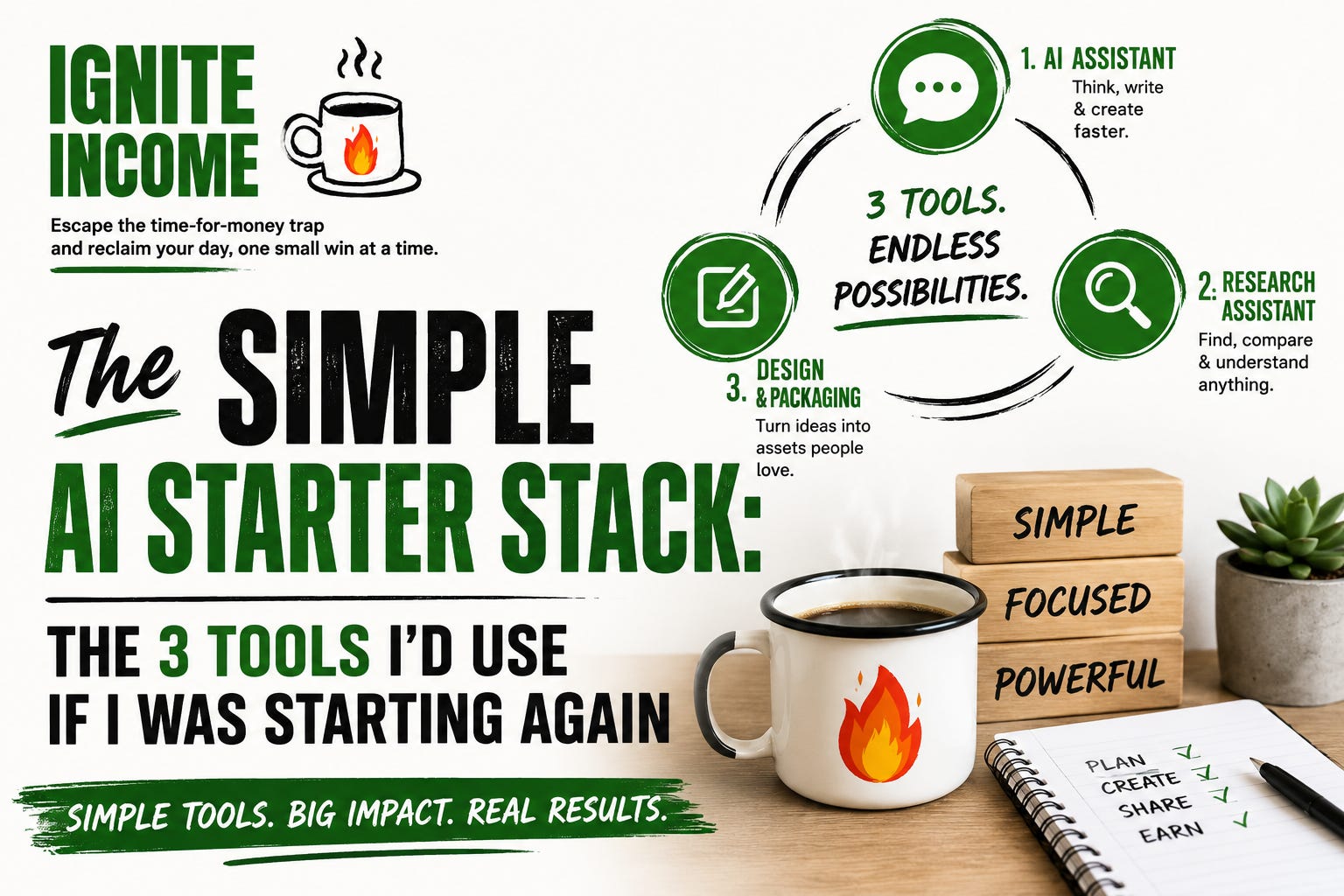
I would choose three types of tools:
One tool to help me think and write.
One tool to help me research and understand.
One tool to help me design and package.
That is enough to begin.
Not enough to do absolutely everything. Not enough to replace effort. Not enough to magically create a business overnight.
But enough to create useful output.
And useful output is what matters.
Tool 1: Your Thinking and Writing Assistant
Your first tool is your main AI assistant. For most people, this will be something like ChatGPT, Claude, Gemini or another general AI writing tool. The exact tool matters less than how you use it.
This is the tool that helps you get ideas out of your head and onto the page. It helps you brainstorm, outline, draft, rewrite, simplify, organise and improve. It is the tool you use when you are stuck, unclear, tired, overwhelmed or staring at the screen wondering if your brain has gone out for a walk without telling you.
Used properly, your AI assistant becomes a thinking partner.
Let’s say you want to create a newsletter. You can ask it to help define your audience, come up with issue ideas, create a publishing schedule, draft your opening paragraphs, suggest headlines, simplify confusing sections, create social posts and turn the article into a checklist.
That is incredibly useful.
But here is the important bit: AI is not the final writer.
It is the first-draft assistant.
If you publish everything exactly as it comes out, people will notice. It may sound polished, but it often lacks warmth, edge, judgement and real-world flavour. Sometimes AI writes like a corporate brochure had a baby with a motivational poster.
Your job is to humanise it.
You add your stories. You add your opinions. You add the little jokes. You add the examples. You remove the waffle. You decide what is actually useful.
AI gives you speed.
You give it soul.
How to Use This Tool Properly
The best way to use your writing assistant is not to ask it for huge, vague things.
Do not start with:
Create me a business.
You will probably get a grand-sounding plan involving branding, funnels, global scalability and other phrases that make you feel productive while doing absolutely nothing.
Start smaller.
Use it to sort ideas:
Here are my messy ideas. Sort them into content ideas, product ideas, service ideas, and things I should ignore for now.
Use it to create first drafts:
Turn these notes into a friendly newsletter article for beginners.
Use it to repurpose content:
Turn this newsletter into 3 Facebook posts, 3 LinkedIn posts and 5 short X posts.
Use it to improve clarity:
Rewrite this so it is easier to understand, more practical and less corporate.
That is where AI becomes useful.
Not in replacing your thinking, but in speeding up the parts that usually slow you down.
Tool 2: Your Research Assistant
Your second tool is an AI research assistant. This could be Perplexity, Gemini with search, ChatGPT with browsing, or any tool that helps you find and understand information quickly.
This is important because if you are going to write about AI tools, online business ideas, digital products, course reviews or income opportunities, you need to know what is actually happening. You cannot build trust by guessing.
A research assistant helps you compare tools, understand trends, find sources, summarise long pages, spot common questions and discover what people are struggling with.
But there is a warning.
Do not blindly trust AI research.
AI can be confident and wrong. It can sound incredibly convincing while quietly inventing something. It is a bit like someone in the pub explaining tax law after three pints: confident, detailed and potentially disastrous.
So use research tools wisely.
Let them help you find the information, but check anything important. Especially prices, features, claims, statistics, legal information, financial advice, health-related information or anything that might have changed recently.
Used properly, research tools help you create content with substance.
And substance is what separates a trusted newsletter from yet another waffle factory.
What I’d Research First
If I were building an AI income newsletter from scratch, I would use a research assistant to answer market questions.
What are beginners confused about?
Which AI tools are small businesses actually using?
What mistakes do people make when using AI?
Which tools have affiliate programmes?
What are people searching for?
What questions keep appearing in communities?
What products are selling?
What services are freelancers offering with AI support?
What problems are people willing to pay to solve?
This kind of research helps you avoid creating content nobody asked for.
That is a common mistake. People create what they fancy making, not what others need help with. Sometimes that works, but usually it leads to disappointment, tumbleweed and a slightly wounded feeling when nobody downloads your 42-page guide on a topic nobody wanted.
Research helps you stay useful.
And useful is where the money is.
Tool 3: Your Design and Packaging Tool
Your third tool is a design and packaging tool. For most normal people, Canva is the obvious place to start.
This is the tool that helps your ideas look presentable.
That matters more than people think.
You might have a brilliant checklist, but if it looks like it was designed during a power cut in 1998, people may not take it seriously. Good design does not need to be fancy. It does not need to look like a luxury skincare brand unless you are selling luxury skincare. It just needs to be clean, clear and easy to use.
A design tool helps you turn rough ideas into assets.
A list becomes a checklist.
An article becomes a PDF.
A set of prompts becomes a prompt pack.
A framework becomes a worksheet.
A newsletter becomes a downloadable guide.
This is where AI-supported income starts to feel more real, because your ideas become something people can save, share, download, buy or use.
That is the point.
Ideas are good.
Packaged ideas are better.
Useful packaged ideas are where income can begin.
The Income Angle
With these three tools, you can create a lot.
Let’s say you want to create a beginner guide called:
The AI Starter Checklist for Small Business Owners
Your writing assistant helps create the outline and draft. Your research assistant helps check which tools and use cases are current. Your design tool helps package it into a simple PDF.
That PDF could become a free lead magnet to grow your list. It could include affiliate links to tools you genuinely recommend. Later, you could create a paid version with templates, prompts and examples.
Or you could use the same stack to create client content, paid prompt packs, tool reviews, comparison articles, mini-guides or newsletter issues.
The tools do not create the income by themselves.
They help you create useful things that can lead to income.
That is the distinction.
And it matters.
The Biggest Tool Mistake
The biggest mistake is buying tools before you know the job.
That is backwards.
It is like buying a cement mixer because you might fancy building a patio one day, then wondering why your garden still looks the same.
Start with the job.
Ask:
What do I need to create?
Who am I helping?
What problem am I solving?
What would save me time?
What would make this easier to publish, sell or share?
Then choose the tool.
Do not let the tool choose the direction of your business.
This Week’s Action
Choose your simple AI starter stack.
Pick:
One writing assistant.
One research assistant.
One design tool.
Do not spend three days comparing every option. Pick a sensible starting point.
Then use this prompt:
Help me create a simple 4-week content plan around one AI-supported income idea I could realistically start with my current skills, interests and available time.
Then ask:
What is the smallest useful thing I could create from this plan in the next 7 days?
That second question is the important one.
Small useful things get finished.
Finished things can be shared, tested, improved and monetised.
Unfinished things just sit in your Google Drive quietly judging you.
Final Thought
Most people do not need more AI tools.
They need more useful output.
A tool you do not use is not an asset. It is just another monthly payment hiding in your bank statement.
But a simple tool used properly can help you create something valuable.
Start with the simple stack.
Use it to build one useful thing.
Then build the next.
And for goodness’ sake, cancel the AI cat podcast tool unless the cat is paying rent.
Next week, I’ll show you how one simple idea can become content, products, services and possible income streams using AI.
Subscribe to Ignite Income so you don’t miss it.